
Pontarddulais Primary School
Class Pages
Class Pages 2026 - 2027
Class Pages 2025 - 2026
Class Pages 2024.25

How to... Videos
Introduction to J2E and managing children’s files
https://www.loom.com/share/f76e0f4945904f5a8761b30552b2294d
Intro to J2 Office
https://www.loom.com/share/6e2473fb44bb4ad890785949bc5de25a
Editing PDFs
https://www.loom.com/share/fd7f30cd0f2c4bbab4da84281dddff43
Introduction to Times Tables Blast
https://www.loom.com/share/6ee531ee655f4f53b2677fe68a11d694
Introduction to Office365 & OneDrive
https://www.loom.com/share/ae3834db9e0647ac9959a5cd083486e6
J2E – Uploading files
https://www.loom.com/share/91133cf9b89748a6b0708ace63af1a3e
Changing an Office 365 file into a J2E file
https://www.loom.com/share/317e20fb63514ad2941fa365a43aa6dd
J2E – Accessing files shared by the teacher
https://www.loom.com/share/0c928ed22639465fb1e4a68dc5c3e45e
J2E – Creating graphs
Using J2 messenger
https://www.loom.com/share/68d3f3cf3c2c487494ea1ba983754d21
Uploading work to HWB
https://www.loom.com/share/6edc8bf1fc4940dea103404c06b8ef8d
How to use teams
https://www.loom.com/share/b6d5f761252743769ad67710792b05c9
Jit write
https://www.loom.com/share/3cd9ac94a9514e8a8bc1d57a3aecc04e
J2e
https://www.loom.com/share/35d5844a4647409daff2b1140385aa03
How to use Flipgrid
Please visit our Safeguarding page/E-Safety section for support
on keeping your children safe online.
https://www.pontarddulaisprimaryschool.co.uk/safeguarding/
How to access Microsoft Teams
Help with Office 365
https://hwb.gov.wales/support-centre/hwb-services/hwb-tools
Just2Easy

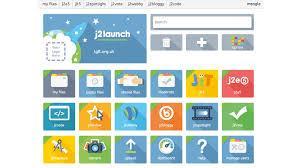
These tools can be accessed from the home page of our website, or by downloading the 'J2Launch' app on your tablets.
Every child in the school has been provided with their own unique username and password to access the above software.

Just2easy Infant Tools or JIT is a set of online educational tools specifically designed for younger learners. JIT has a colourful and friendly feel which appeals to reception through to KS2. JIT encourages children to create on the web in a fun and stimulating way. JIT consists of 7 tools, Write, Paint, Turtle, Chart, Pictogram, Animate, and Mix. Every tool builds upon the other and allows a child to progress at their own pace.
J2E is best suited to the older children in KS2. It is so much more than an online word processor. It is a complete suite of advanced online tools of use across the curriculum and develop the children's ICT skills.
Tools include:
Word processing
Desktop publishing
Web Drawing
Data form / collection
Webpage publishing
Website creation
- Hwb-Uploading files to J2e
- J2E How to guide
- J2E Tools
- Hwb-J2E Help pages
- Urdd Gobaith Cymru Criw - Click on the link to enjoy Welsh games and activities Welsh games and activities